
Keeping your cryptocurrency safe is all about protecting your private keys. While exchanges like CoinSpot are trusted platforms with strong security features, nothing beats storing your crypto offline in a cold storage wallet where only you control access.
This guide walks you through exactly how to transfer crypto from CoinSpot to a cold wallet — step-by-step — plus smart security tips and mistakes to avoid.
What is a Cold Storage Wallet?
A cold storage wallet is a device that stores your private keys offline, protecting your crypto from:
- Crypto Exchange hacks
- Malware and phishing attacks
- Account compromises
Common cold wallets include:
You maintain full ownership and responsibility — a big step toward long-term security.
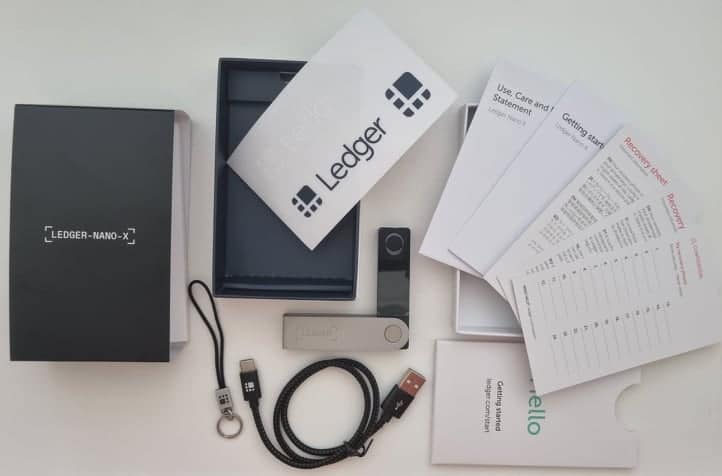
What You Need Before You Start
✅ A hardware wallet set up and ready (see a list of the best crypto wallets here)✅ Your cold wallet app installed (e.g., Ledger Live, Trezor Suite)✅ Your receiving wallet address✅ 2-Factor Authentication enabled on CoinSpot✅ A stable internet connection
Step-by-Step: How To Send Crypto From CoinSpot to Cold Storage
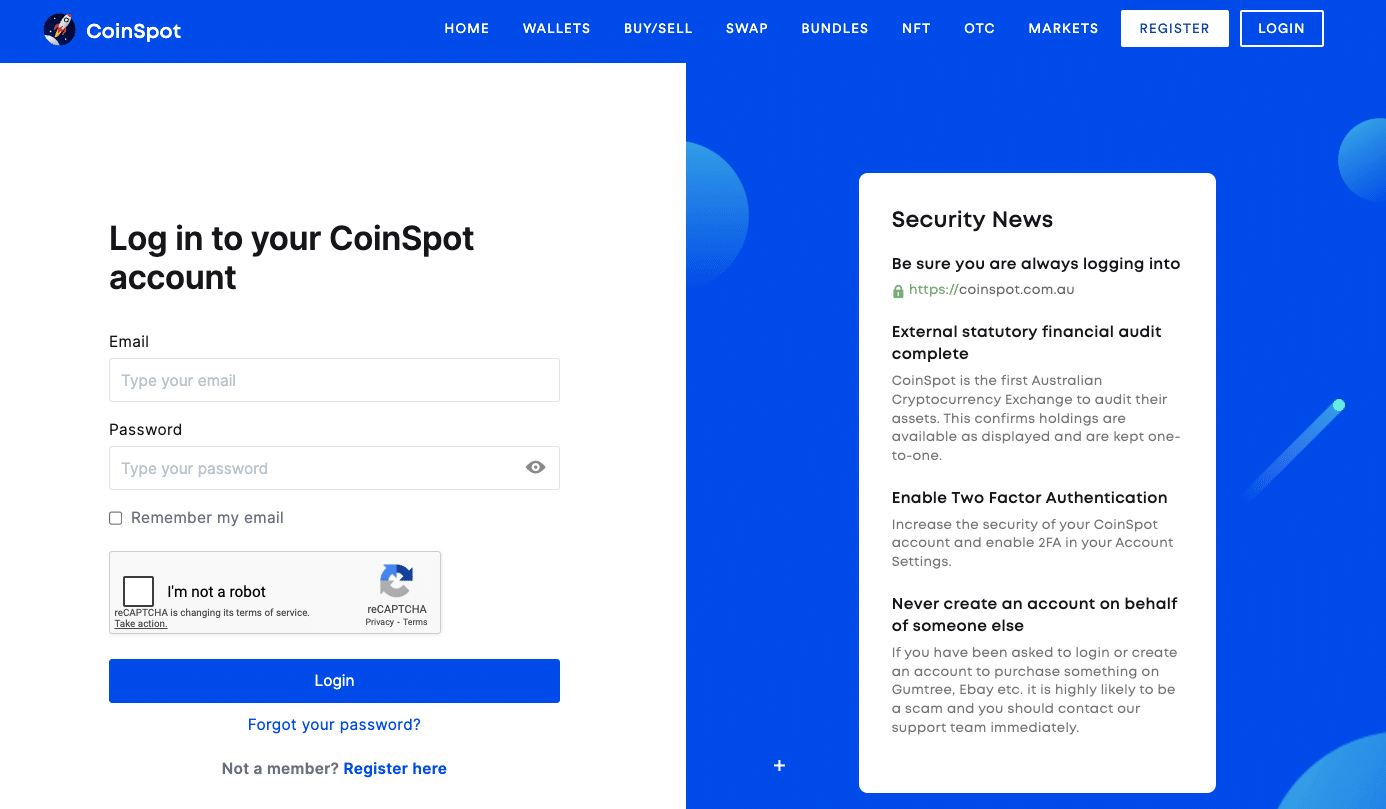
Step 1 — Log Into Your CoinSpot Account
- Go to the official website: coinspot.com.au
- Log in using your email + password
- Complete 2FA if prompted
Step 2 — Select the Crypto You Want to Withdraw
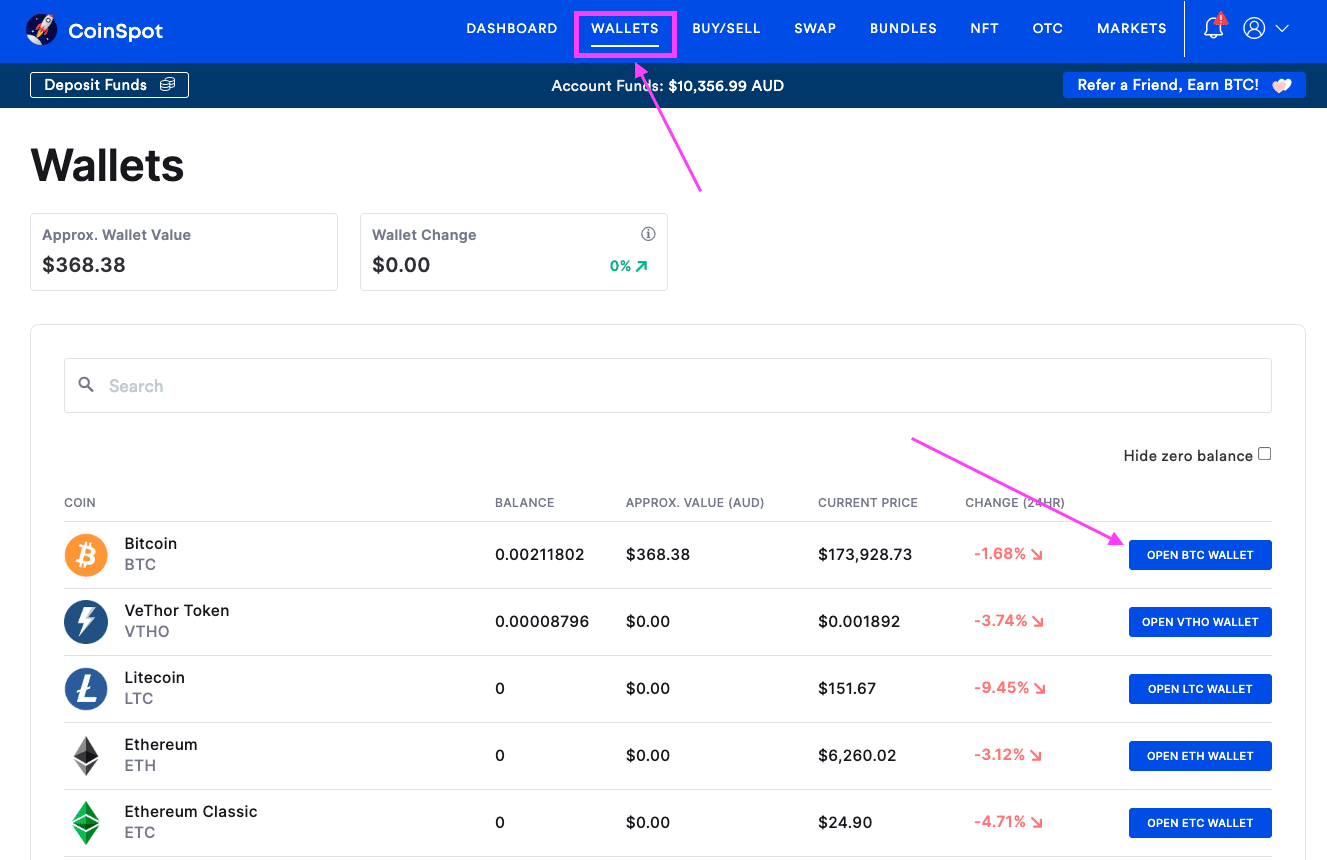
- On the top menu, click Wallets
- Search for the asset (e.g., Bitcoin)
- Click ‘Open BTC Wallet’ (or the corresponding wallet of the coin you want to withdraw)
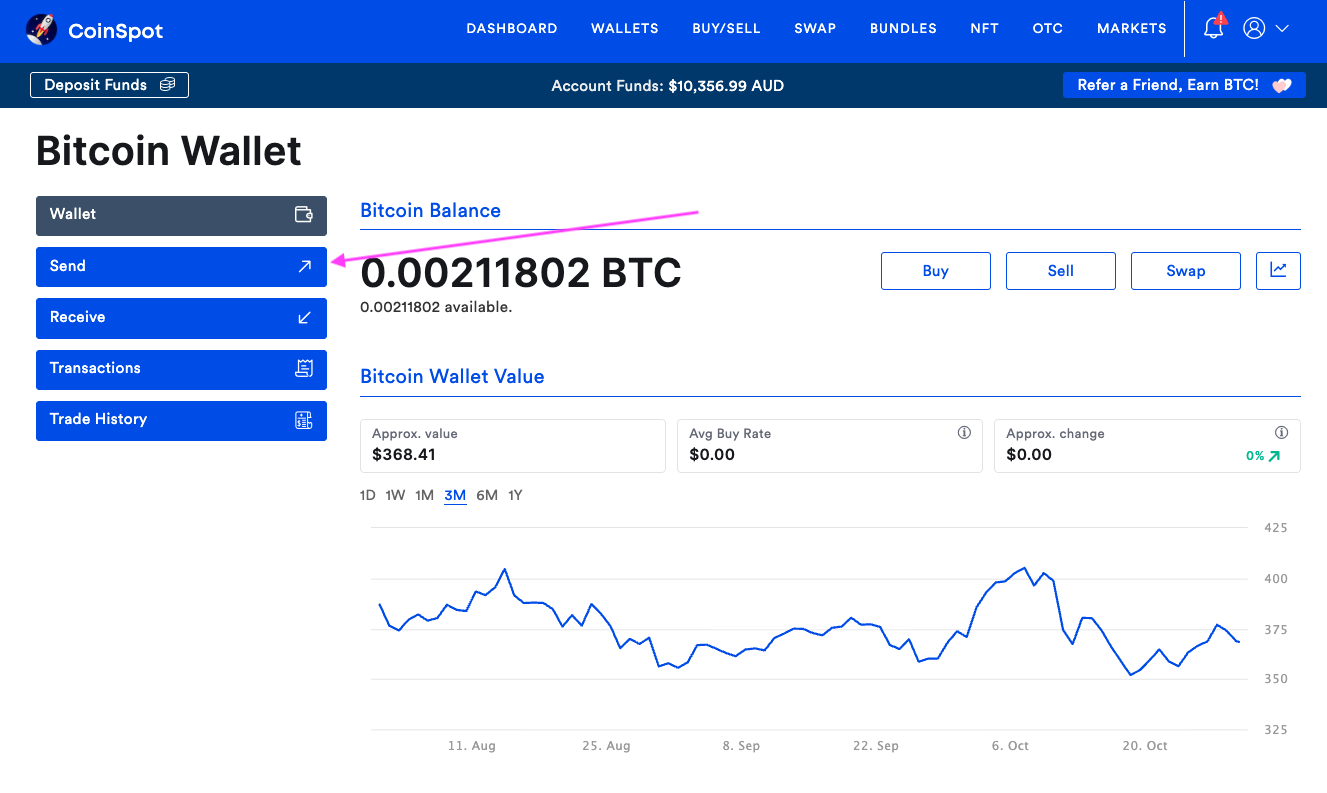
- Click Send and you’ll now see the withdrawal form.
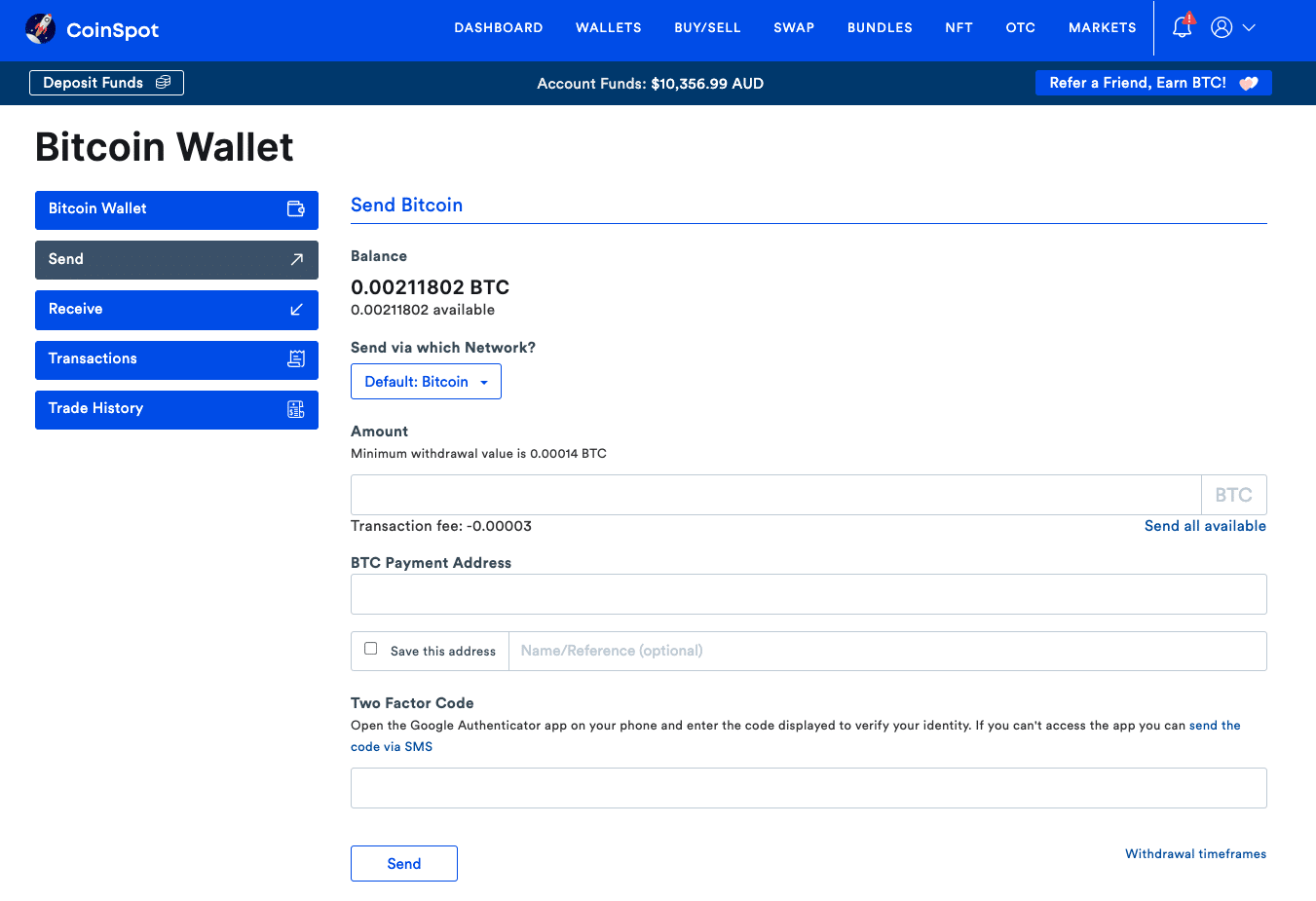
Step 3 — Copy Your Wallet Address From Your Cold Storage Wallet
Open your cold wallet’s app and:
- Select Receive
- Choose the correct coin type (BTC wallet for Bitcoin, etc.)
- Copy the full wallet address (NOTE: Never type an address manually — one wrong character and funds are gone permanently.)
- Double-check the network. If you send to the wrong network, your crypto is not recoverable.
Step 4 — Enter the Amount You Want To Transfer
- Enter the amount of crypto to send (It’s a good idea to start with a small test transaction first)
- Check estimated transaction fee
- Paste the address into the BTC Payment Address field (or whichever crypto you are withdrawing)
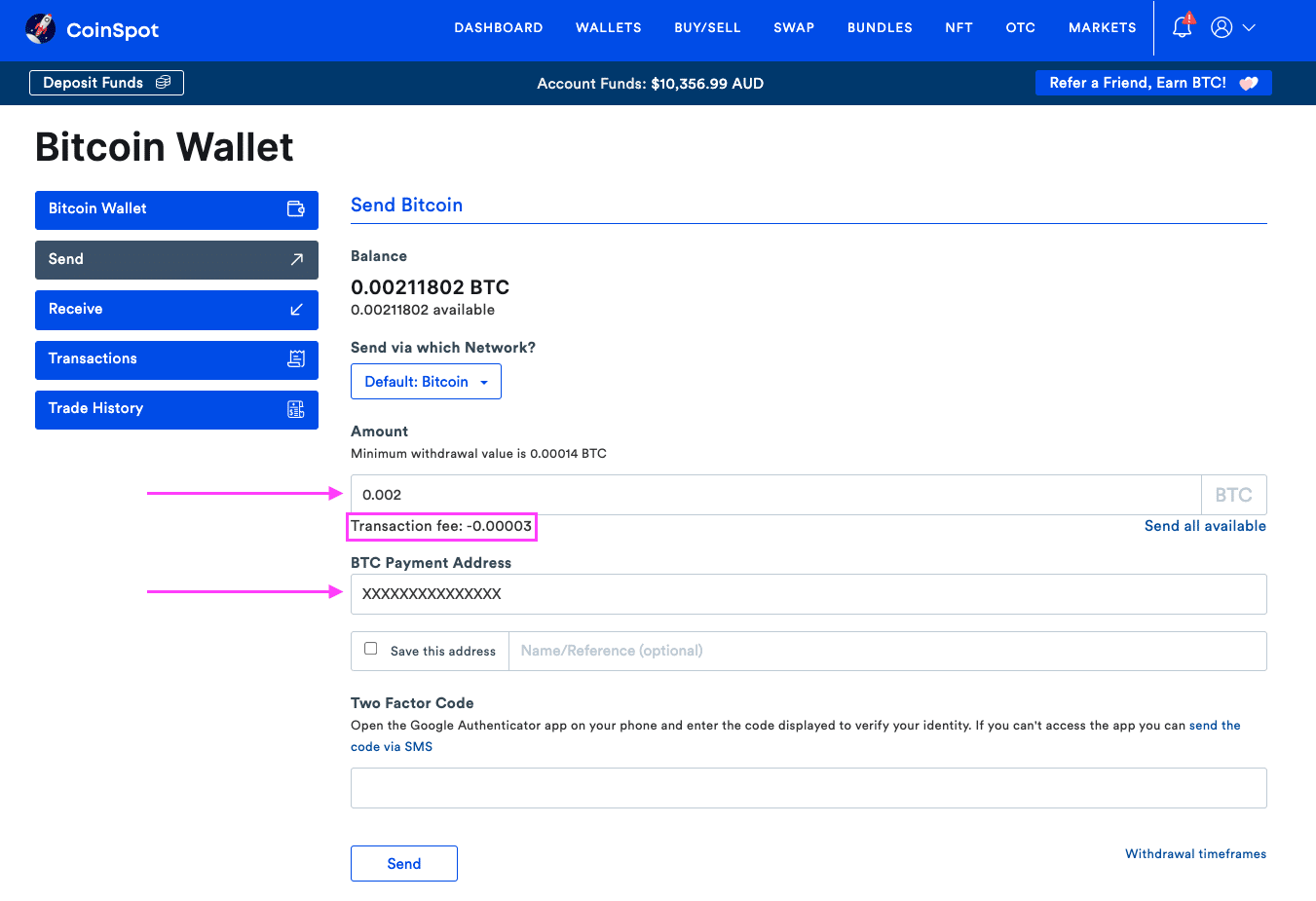
Step 5 — Complete Security Verification
CoinSpot will ask you to approve the withdrawal via Two Factor Code (2FA) using Google Authenticator or SMS. This is normal and protects you if someone gains access to your CoinSpot account. After you enter the Two Factor Code, click the Send button.
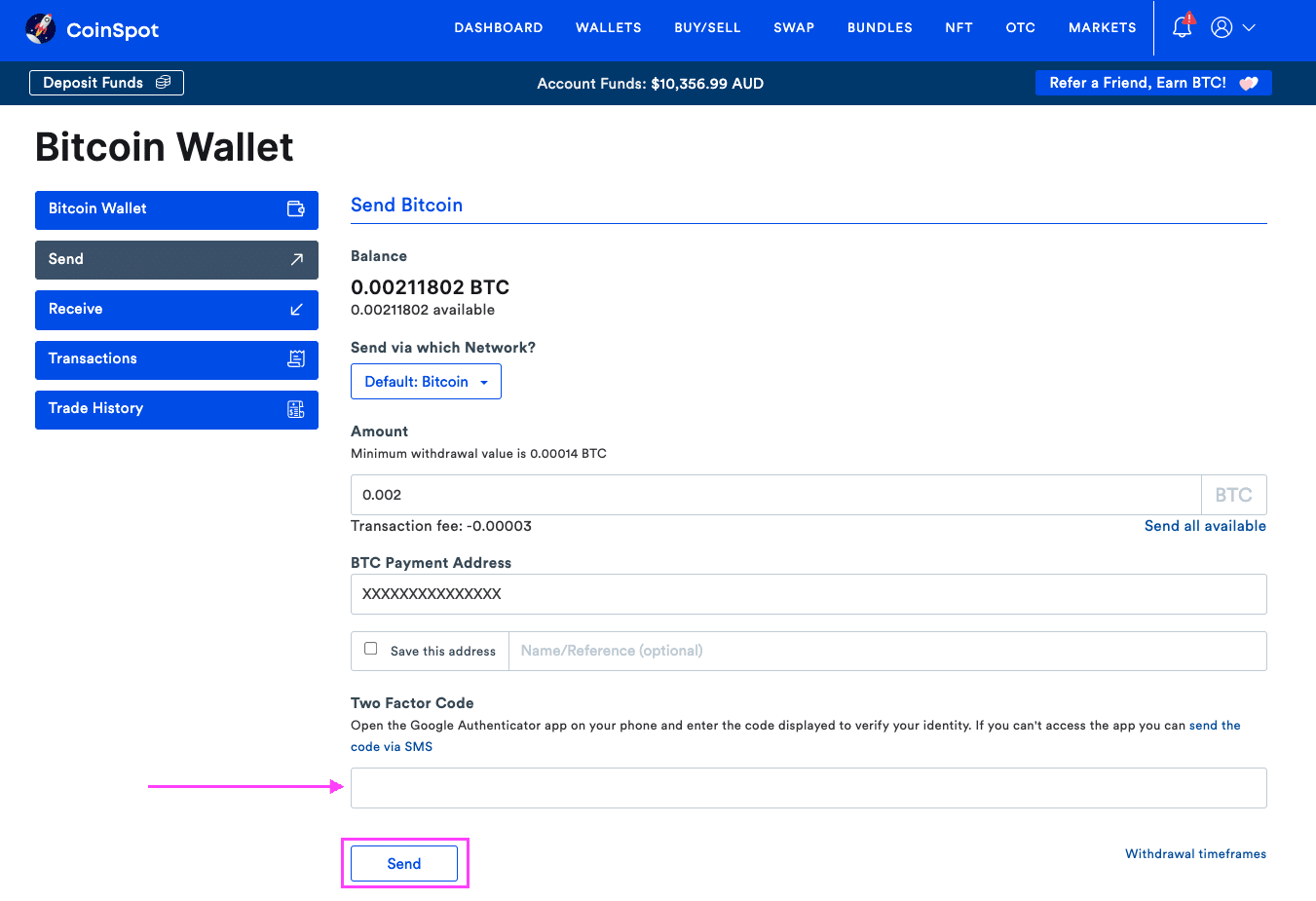
Step 6 — Track the Transfer
Once sent:
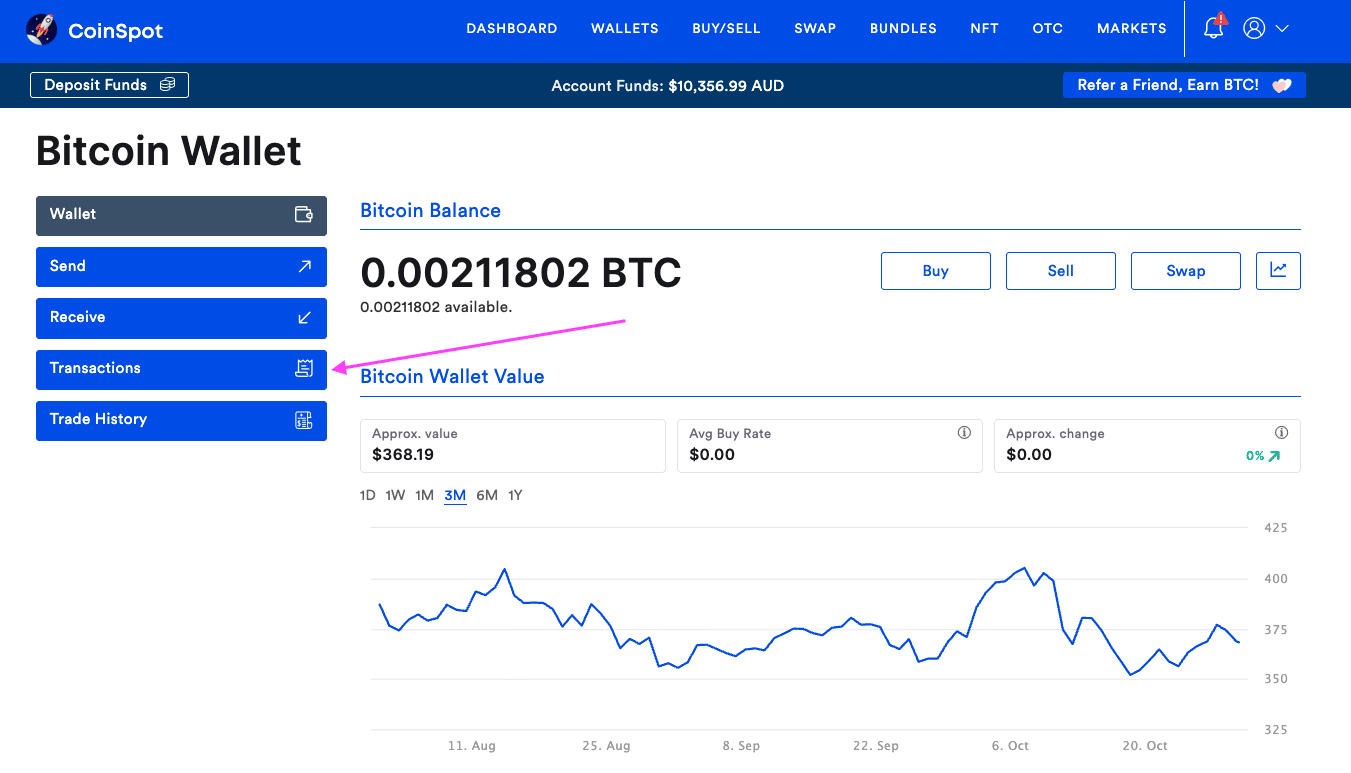
- Go back to the Crypto Wallet of the coin you just withdrew
- Click on Transactions, and click View next to your withdrawal
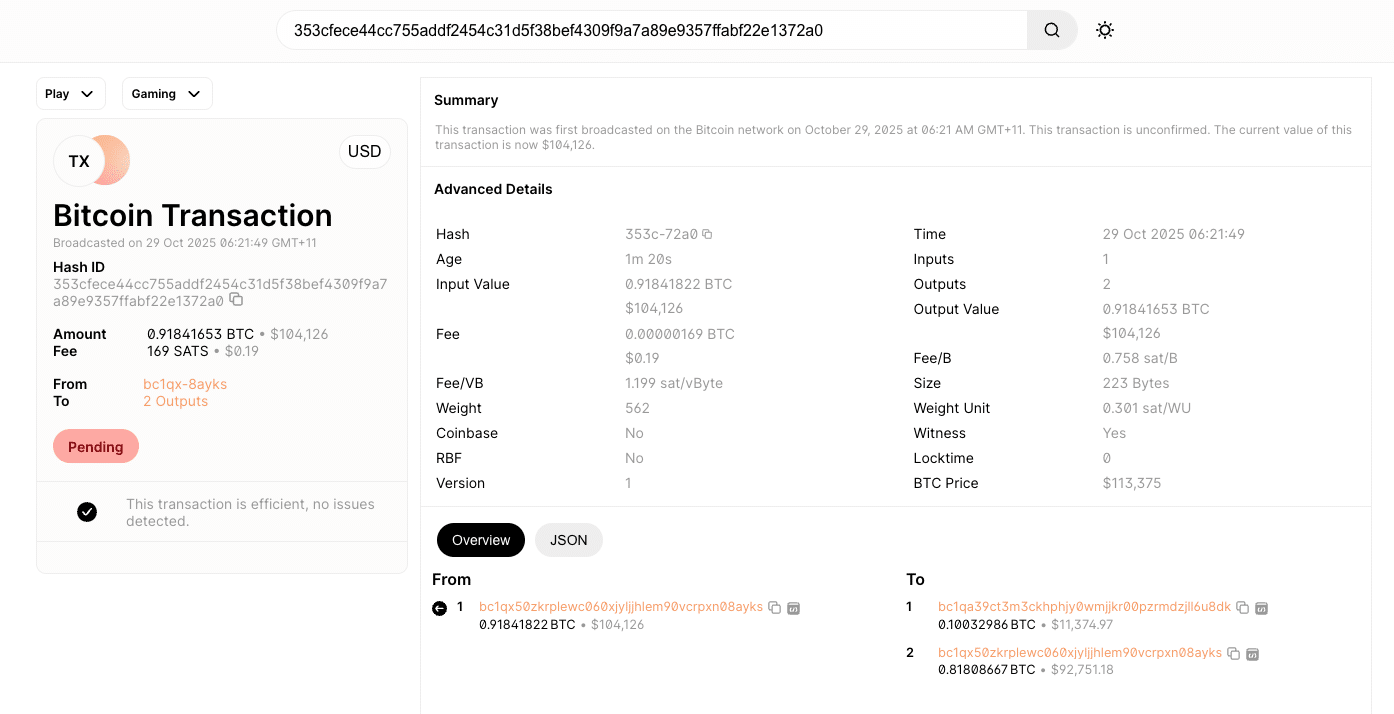
- You will see a transaction id (Txid). Copy this transaction hash to view confirmations on a blockchain explorer such as blockchain.com
- Also check your hardware wallet app to confirm the balance appears
Note that blockchain congestion may increase times.
How Much Does It Cost To Send Crypto From CoinSpot?
CoinSpot doesn’t charge a direct withdrawal fee, but network fees apply. These are set by the blockchain and can vary based on cryptocurrency selected, network congestion and transaction size. As an example, BTC fees may be $5–$20 depending on traffic, and XRP or TRX may be a few cents.
Verifying Your Crypto Arrived Safely
Your crypto is fully secured when:
✅ Confirmed on blockchain explorer✅ Appears correctly in the wallet app✅ Wallet shows correct network + asset type
If balance doesn’t update immediately, just wait. Blockchain explorers are the most accurate reference.
What To Do After Moving Crypto
Once funds arrive in your cold wallet:
✅ Store your seed phrase offline✅ Avoid digital copies (screenshots, cloud storage)✅ Keep wallet firmware updated✅ Consider storing portions in different places✅ Track transfers for tax reporting (ATO requirement)
Crypto security isn’t one-and-done — it’s ongoing.
Frequently Asked Questions
Final Thoughts: Security You Control
Moving your crypto off an exchange to a cold wallet is one of the strongest actions you can take to protect your wealth. With CoinSpot, the process is straightforward — as long as you follow best practices. Make sure you:
- Double-check the network
- Always use copy + paste
- Start with a test transaction
- Secure your seed phrase
Once done properly, you can relax knowing you are in control of your digital assets.